Where Can We Put all This?

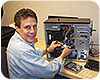
Craig Suter, IT systems manager for Deterrent
Technologies Inc., installs hard drives into an IP video server and tests it on
one of the company’s test benches before installation at a customer’s site.
Although videotape is still used in some VCR systems, depending on the size of the security system, DVRs or network video recorders (NVRs) may be sufficient for video storage. Options with larger capacities include network-attached storage (NAS) and storage area networks (SANs).
NAS solutions are computers dedicated to data storage. SANs are networks of storage devices that could include servers and digital tape libraries that may be remotely located but can be accessed as if they are locally attached.
Most storage options in new installations are on hard drive disks, although digital tape is recommended by some for archiving.
Security dealers, systems integrators and manufacturers are discovering innovative solutions to these storage challenges. For example, Pro-Tec, Minneapolis, says it coined the term “intelligent video appliance” for a storage solution it implemented for a customer that cost one-third of another solution. Essentially, the company created the data-network equivalent of a railroad siding and stashed a series of data boxcars there as an independent branch of the end user’s IT network.
“We went outside their box, their standards, and created a stand-alone network,” explains Jeff Duchac, Pro-Tec’s manager of engineering services. This company’s IT department, like many, required any device put on its IT network to be rigorously tested.
By installing dual network interface cards (NICs), the security network “siding” could be separated from the IT department’s network. This meant that cameras, access controllers and other security devices that had not been rigorously tested by the IT department could be attached because they were on a separate network.
“We built our own infrastructure, provided our own network-attached storage, patch panels, Cat 5 and 6 cabling, provided our own midspans and switches,” Duchac notes. “We even went so far as to make our Cat cables a different color, so they could distinguish between the building systems’ and security provider’s wires in trays, so there would be less confusion when trying to do troubleshooting.”
This enabled network video recorders to be located in data closets on each of the company’s four floors instead of sending video surveillance and access control data through fiber-optic cable to a centralized data server room, an option that would have been three times as expensive.
Installing the NVRs closer to the security devices made the fiber-optic installation unnecessary. Each NVR on each floor had 1 terabyte (TB) of storage capacity with RAID 5 recording, which makes a backup copy across several hard drives of everything recorded. So capacity was increased to 4 TB by the NVR on each floor. Additional cost savings were realized by using third-party rather than name-brand hardware.
“So you keep your finance people happy, your IT folks happy and all the players,” Duchac concludes. “It seemed to really work out good. I think that you’re going to see more and more of that type of environment or solution.”
Another tip Duchac recommends is using RAID 5 instead of mirroring. Mirroring is using one additional hard drive to make a backup copy instead of several. When several hard drives are used for backup, they can be writing portions of the data at the same time. The risk of loss also is spread over several drives. But mirroring uses a single hard drive for backup and therefore is slower, Duchac maintains.
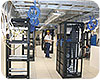
Storage is being installed in racks by North
American Video at the Wynn Hotel in Macau, China, shown here under
construction.
DRIVE DATA CAREFULLY
A tip from Paul Nowak, chief technical officer for Security Services and Technologies (SST), Norristown, Pa., and Mike Ficco, a global engineer, is using NVR software that does not include storage media. That way, the integrator or customer can supply whatever media is compatible with the system.“We’ll take a server and put in the storage that we want,” Nowak points out. “If they send out a box to you and that’s your NVR, that limits you; you get what you get, and you can’t plan for the future.”
They also suggest dropping storage from a competitive bid because sometimes the customer, if it is a large enough corporation, can obtain storage at a better price than an integrator can.
“On recent projects I’ve dealt with, we have to supply the price, and they could get the same PC for less because their distribution channels are so cost-effective for them,” Ficco observes. “We buy a lot of volume, but they buy even more, because they’re Fortune 100 companies. They supply computers to all their 20,000 to 30,000 employees.”
“Some of our customers are very large – DuPont or Dow,” reveals Nowak. “We buy a couple million dollars worth of PC equipment a year, but that pales by comparison with DuPont.”
The inverse of this is that sometimes – when storage is needed quickly – the integrator can supply it rapidly without all the approvals of the expenditure a large corporation may need.
Another factor is that some IT departments only accept hardware that they have rigorously tested. “When we go on their network, a lot of companies have stipulations that they have tested equipment, and they have all the standards for it,” Ficco reports. “We need to supply this computer, because they have it tested, and it meets all their requirements.”
One company’s testing process required three months. “Every server they put on the network would go through that three-month process before it’s billed as approved for use,” Ficco emphasizes. “Every time they make a change, they are tied by the regulation internally and externally.”
When that is the case, and the integrator is unfamiliar with the equipment the company requires, it may be better if the customer supplies the hardware. If the customer supplies storage for video, the hard drives must be designed for the continuous duty that video requires, even though such drives sometimes cost twice as much as standard data drives.
One customer Nowak mentions was not using continuous duty drives. “We were replacing two to three hard drives a year,” he complains. “Even though the hardware is built to last, it is constantly running.”
If data drives are used, they probably will break down too frequently, and because of the continuous operation they were providing, any warranty on their use would be voided.
“We send them back, and they can tell,” Ficco insists. “If it was only purchased four to six months ago, they know this wasn’t used under normal circumstances, because after six months, it looks like it’s been in there for five years. They’re going to see your guys really got the wrong hard drive, and they can’t warrant it, because it’s not designed for that.”
The two also recommend advising customers that their storage requirements will continue escalating over the years and they need a system that can expand.
“If you have a customer who has a couple hundred cameras, and they want to have a unified location where they go to one box and look at all the archive of those cameras, you have to be thinking in terms of petabytes,” Nowak insists. “Terabytes are way too small.”
Many questions need to be answered before deciding on a method of off-site storage, advises Michael Glasser, PSP CISSP, an engineer for Deterrent Technologies Inc., Ocean, N.J., a global security integrator with more than 25 years of experience.
“The questions come down to: Why do you want it stored; how long do you want it stored for; where do you want it stored; how often do you access it; and how quickly do you need to access it?” Glasser enumerates. “All those things will determine the type of storage.”
A tip he recommends is not using hard drives for longer-term storage because more efficient media for static storage are available. “Hard drives are good for data that is often changing, where surveillance video is static data that should never change once written,” Glasser maintains.
“Today, the typical storage for the industry is a hard drive inside your NVR or DVR,” he reports. “That’s where people keep it. They don’t back it up and just let it live there.”
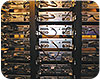
Casinos require massive amounts of storage, such
as these DVRs at the Wynn Hotel in Las Vegas, installed by North American
Video.
USE TAPES FOR THE LONG-TERM
For longer-term storage, Glasser recommends using digital tapes and even shipping them to off-site storage. “If you want to stick it away and don’t mind waiting a day or two to retrieve it, off-site storage is good for long-term,” he points out. “I’m a big fan of off-site storage.”Supermarkets are typical users of long-term storage, up to a year, for the purpose of slip-and-fall claims. Most offices typically only need 30 days of storage, Glasser maintains.
His advice is to stream lower-quality video for viewing to save bandwidth and archive high-resolution video of the same events. Additionally, customers may wish to stream lower-frame-rate video off-site to a third-party location in real time.
“I’m a fan of having multiple storage levels and places,” he notes. “That way if something catastrophic happens, you have something that’s at least current.”
He recommends storage at the edge of a system in hard drive or flash memory in cameras or on servers in network closets to save bandwidth, as long as the servers do not have to be accessed too often or are easily accessible if they do.
“In the camera you could have a day of storage, in the closet a week, and in your SAN or data center you’d have a month of storage,” Glasser suggests as a method to create inherent backup and redundancy in the system.
Glasser believes solid-state storage will inherit the earth. “I honestly believe hard drives are going away in the near future,” he predicts. “I don’t know in how many years.”
Sidebar: Third-Party Storage Is an Option
Scott Wulforst, integrated sales manager for A-1 Security Inc., Sparks, Nev., has a tip for integrators: offer customers third-party remote storage. Approximately 80 percent of his company’s video surveillance jobs include some IP equipment.“A lot of the systems are hooked up with a new manufacturer that does remote IP storage for us in two redundant locations,” Wulforst reports. This provides off-site protection for security data and allows archiving of it on a regular schedule after its initial storage period of up to two weeks is over.
“It’s a lot cheaper to have their own off-site storage,” maintains Sandy Kanaeholo, A-1’s installation operations manager. “They can use it for everything else, and it costs them less in the long run. You don’t have a piece of machinery you have to physically maintain, and you get your software updates for free.
“You calculate the amount of backup time you have on the existing drive on a DVR, and you can have scheduled backup or they can do a manual backup, archive a file and transfer it over by network to the off-site source,” Kanaeholo explains.
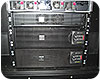
One of these rack-mounted 5kVA double conversion uninterruptible power supplies (UPSs) has a transformer to step the 208V input down to 120V. Another is providing 208V input and output on its own.
Sidebar: Uninterruptible Power Supplies Are Necessary and Profitable
A major enemy of data storage is interruptions, surges or fluctuations in electrical power, which can cause loss of data. These include power spikes and changes in frequency on the electrical line, such as harmonic distortions.A variety of uninterruptible power supplies (UPSs) are available to prevent this. They usually include batteries to supply backup electrical power and varying amounts of power conditioning depending on the type and level of protection needed.
A basic standby UPS simply provides backup power during an outage. These are used more in very small commercial and residential applications.
Some UPSs use a technology called line interactive, which regulates AC power and corrects the voltage, either adding to it or restraining it as needed.
Others use a process called dual conversion. These online UPSs convert AC electrical power to DC and then back to AC to produce “clean” power without fluctuations that might harm sensitive digital devices.
Usually dual-conversion UPSs cost the most, but they also provide the most protection. The savings in damage they prevent from one power failure can pay for them.
Although they can provide power during blackouts, UPSs are not used as much for backup power as to shut down systems safely when a power outage occurs.
Auxiliary generators are used for longer-term backup power, and because of fluctuations in their power, especially when starting up, use of electrical line conditioning products is recommended.
“The power that a generator produces tends to not be as clean as what you can get from utility power,” Mroczka asserts. “When I am talking to a customer who says they are working with a generator, I will always go to double conversion.”
She also recommends double conversion for voice over Internet Protocol (VoIP) phone systems.
Run time — how long equipment can be powered by a UPS — can be calculated by the amount of electrical power the equipment connected to it needs. Some manufacturers have calculators for run time on their Web sites.
Standalone UPS products can fit under a desk and are used frequently with DVRs and other security equipment that is located in an office environment. Other types can be installed in racks with video surveillance and security equipment. In some installations, each rack has its own UPS regulating power to that rack.
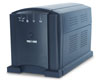
UPSs deliver protection from electrical problems, such as spikes, surges, sags and brownouts, in desktop, under-console and rack-mount models.
“We see what type of power their power supplies are generating and make sure we are supplying at least that much to back them up in the case of a power outage or power inconsistencies, allowing some room for growth,” she explains.
One of the tips she recommends is selecting a modular unit that can be upgraded with more capacity later. “
“There are modular designs that allow the customer to start smaller and add to the UPS-based purchase to add capacity and battery run time,” she says. “So instead of having to buy a new UPS, they can make changes to it instead of having to completely reinvest.”
Another tip is selecting a UPS that has an IP address so it can be communicated with over the network. “Most UPSs are networkable, so you can monitor any kind of power problems that might be happening,” Mroczka notes. “They configure the UPS to alert you when there are changes.”
She also recommends wiring a UPS for its full capacity. “When it’s being installed, it makes a lot of sense to wire for the highest capacity you think you’ll ever use rather than just for what you’re doing now,” Mroczka advises.
UPSs also can be a profit item when added to a job.
“There’s potential add-on business just replacing batteries every year,” asserts Randy Smith, president of Winsted Corp., Minneapolis. “It keeps you in contact with your end user.
“The one thing I say in a lunch-and-learn or sales meeting is that this is an opportunity obviously for the integrator to make money,” Smith continues. “Often an integrator is so worried about being competitive, it’s these items they leave out, but it makes the system more functional.
“When I’m talking to integrators about this, it’s amazing that they don’t get involved,” Smith maintains. “That’s what we’ve been doing — just educating the integrator how important it is. It is easier to talk to the end user about it, and if the IT manager is involved, he’s all about backing up his data.”
Sidebar: Have IT Handle Storage
Alan Kruglak, senior vice president of Genesis Security Systems LLC, Potomac, Md., recommends that an end user’s IT department purchase and maintain all of the data storage.“Most IT firms will require it in order to maintain both security and standards,” Kruglak maintains. “For an integrator, the margins on a commodity product like storage are very low. We add very little value when it comes to storage.”
Michael Glasser, PSP CISSP, an engineer for Deterrent Technologies Inc., Ocean, N.J., also suggests delegating storage.
“I’d like the IT department to take ownership of almost everything,” he asserts. “I’d like to provide them with services and software – smarts and parts rather than switches. I want to provide them with our knowledge and our value-added services for the specific piece of the puzzle that we fill, not the whole IT data storage package.”
Sidebar: Proposal Should Specify Retention Time
“Storage calculations unfortunately are not the exact science they should be,” concedes Cynthia Freschi, president of North American Video, Brick, N.J. “If asked where I find the most problems and confusions, the answer would definitely be storage.”North American Video has specialized in gaming security and surveillance, which usually is 24/7, she notes. “Manufacturers try to stay competitive, and storage is the most expensive part of the system,” she points out. “I have found many different individuals and some ‘experts’ try to ‘guesstimate’ the motion in a casino to determine adequate storage, but have yet to see one succeed.”
She suggests including in proposals the number of days the video will be retained, such as, “System to record 512 cameras at 4 CIF RAID 5 for no less than seven days.”
“Forget how many terabytes you are buying,” she recommends. “In your proposal, make sure it clearly spells out your desired storage retention so you are covered should it be under-specified.”
Sidebar: Try Hierarchical Management
Ted Hayduk, senior solutions architect for IP video surveillance practice, Mainline Information Systems Inc., Tallahassee, Fla., thinks putting storage at the edge of a network is a good idea. He also thinks storage is not a solution in a box, like a DVR, but should be a network solution, like an NVR.Hayduk gives an example of how network storage can simplify a video installation that was using 14 DVRs. His company moved all the storage for 200 surveillance cameras to three network servers.
He also recommends hierarchical storage management (HSM) systems, in which software locates stored data whether it still is on a hard drive or whether it is archived on digital tape. Such systems can use an automated tape management system to retrieve tapes seamlessly, he maintains.
“HSM is a technique applicable to a variety of different storage devices and architectures,” Hayduk explains. Data on a high-speed disk that is not accessed for a set period of time, such as 30 days, is moved to a different storage architecture that is lower cost but not as quickly available.
“If it is put into a tape device, even though it is a live index, HSM fools the subsystem that it’s all stored in a contiguous place, whereas you’re storing it in different places, and you have a piece of software that keeps track of that,” he relates.
Looking for a reprint of this article?
From high-res PDFs to custom plaques, order your copy today!



