Home Energy Management Do’s and Don’ts
Check out these installation tips for dealers, including how to connect Wi-Fi thermostats.

Some homes have multiple thermostats. Benefits of connecting all of them to the security system include enabling homeowners to fine tune heating, air conditioning and ventilation.
PHOTO COURTESY OF NORTEK SECURITY & CONTROL
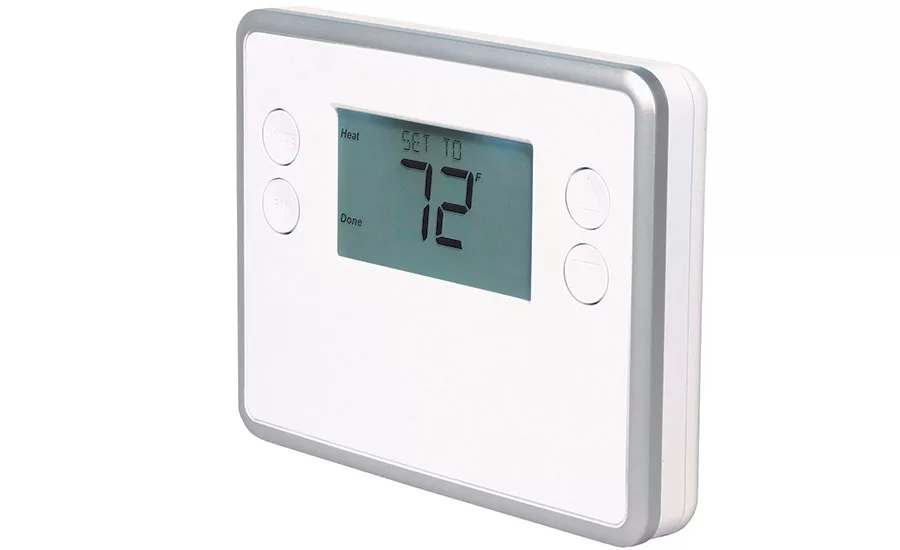
Thermostats designed to communicate with a security system can easily replace a traditional thermostat.
PHOTO COURTESY OF NORTEK SECURITY & CONTROL
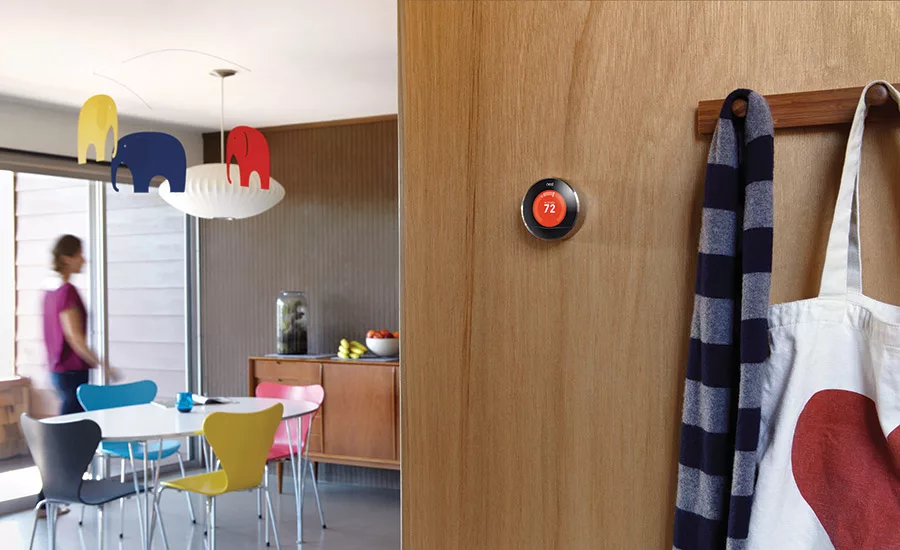
Dealers can connect security systems to “Smart” Wi-Fi thermostats, such as this one from Nest, using cloud-to-cloud technology from companies such
as Telular.
PHOTO COURTESY OF TELULAR
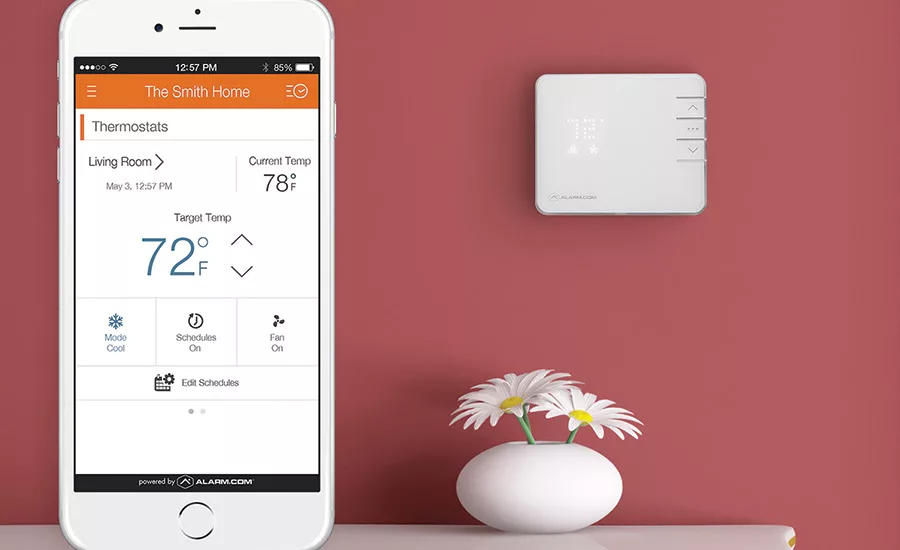
Thermostat control via a smartphone app has strong appeal to home owners.
PHOTO COURTESY OF ALARM.COM
Home control is hot — and the most frequently added device within the home control category is the connected thermostat. The idea of being able to reduce heating and cooling costs through tighter control via their thermostats has strong appeal for customers.
What do dealers need to know to make sure their home energy control installations are done properly and customers will be happy with the results?
‘Connected’ Versus ‘Smart’
Dealers wanting to incorporate a thermostat into a customer’s security system will encounter two basic types of devices. These include “connected” thermostats and “smart” thermostats.
Connected thermostats typically use Z-Wave for wireless communications — a protocol designed to support a high level of interoperability and to draw only a minimal amount of power, providing long battery life. More and more security manufacturers are designing panels that can communicate with Z-Wave devices so that the system can be programmed, for example, to adjust the thermostat temperature settings up or down when homeowners arm or disarm the system. Customers also may have the ability to adjust temperature settings when they are away from home using a smartphone app via a cloud connection to the security equipment manufacturer’s data center.
The term smart is usually associated with a thermostat designed to operate independently of a security system. Smart thermostats have built-in intelligence that gives them the ability to learn customers’ behavior and the house environment and make adjustments on their own to temperature settings, explains Warren Hill, product marketing leader — intrusion business for Interlogix, a Lincolnton, N.C.-based part of UTC Climate, Controls & Security, a unit of United Technologies Corp.
“They don’t need the security panel to tell them what to do,” he says.
Nevertheless, dealers may encounter customers who already have installed smart thermostats that they want to be connected to their security systems so that a single app can be used to control both the security system and the thermostat. That’s a desire that presents some challenges for the dealer.
Looking for quick answers on security topics? Try Ask SDM, our new smart AI search tool. Ask SDM →
Smart thermostats typically use Wi-Fi for communications with a home broadband connection. (From there the device can communicate with the manufacturer’s data center cloud so that customers have smartphone remote control.)
According to Chris Lamb, owner and president of Championsgate, Fla.-based dealer Southeast Wiring Solutions, only certain home control panels are capable of communicating directly with smart Wi-Fi thermostats — and those panels are considerably more costly than a typical security system panel.
Alternatively, customers can use a cloud-to-cloud approach. Several companies that offer cloud services for the security industry — including Telular Corp.’s Telguard and Alarm.com — have made arrangements with smart thermostat manufacturers to link their data centers so that apps designed to control the security system can also control the thermostat.
Shawn Welsh, senior vice president of product line management and marketing for Chicago-based Telguard, explains the company’s offering: “Once you’ve set up a rule for one system to control the other, you don’t have to use one of the two apps,” he notes. While customers typically will rely on the security system app, the smart thermostat app also can be used to access features that customers may only be able to control using that app.
“We don’t consume their app into ours; we let theirs do what it needs to do,” Welsh adds.
While some experts suggest only using smart thermostats when a customer already has installed one and wants to keep it, Welsh argues that some customers may want additional capabilities only available with smart thermostats.
Security dealers considering installing Wi-Fi-based smart thermostats should note, however, that if the customer’s broadband connection becomes inoperable, the customer will lose control of the thermostat even while at home — a concern that doesn’t apply to a Z-Wave thermostat.
Before Starting The Installation
Sources interviewed for this story offered a range of valuable advice for dealers replacing a customer’s traditional thermostat with one designed for control by the customer’s security system.
Dealers should check any licensing requirements in their state before taking on thermostat installation, Welsh advises. Assuming it’s OK for a security dealer to take on thermostat installation, installers should first be trained on common wiring for heating and cooling (HVAC) systems. “It’s not something you want to treat lightly,” he says.
“Make sure the old thermostat is working,” cautions Jay Kenny, senior vice president of marketing for Alarm.com, Vienna, Va. That move can help security dealers avoid being held responsible for another company’s problem, he points out.
Despite such preparations, however, dealers installing thermostats may get some calls from customers related to the HVAC system. Several sources suggest that security dealers develop a relationship with an HVAC company to help address HVAC issues. While dealers typically will simply put the new thermostat where the old one was, some customers may ask if adjustments can be made to their system — and having a relationship with an HVAC company can help address those issues.
Mitchell Klein, executive director for the Fremont, Calif.-based Z-Wave Alliance notes, for example, that if a customer isn’t happy with the temperature in certain parts of the house, an option is to install wireless sensors that help fine-tune how the thermostat works. When wireless sensors are added to the system, the temperatures that they measure are figured into the temperatures measured at the thermostat and HVAC adjustments are made based on the overall average temperature.
Wireless dampers also are available, Klein adds. A customer might want to add one of those to a guest room to minimize heating and cooling requirements when the room is not in use. The wireless dampers can be controlled using a home control scene programmed into the panel, he says.
Installation Advice
In a typical installation, the security dealer’s involvement with the HVAC system will simply entail replacing one or more existing thermostats. If a customer has multiple thermostats, it isn’t necessary to replace all of them, Hill explains — although in some cases the customer may want to replace more than one to gain the ability to remotely control the temperature in different parts of the home.
Southeast Wiring Systems frequently installs home control systems for newly constructed homes, and Lamb advises dealers in that situation to be sure to look at blueprints to confirm the number and location of thermostats in the system before beginning an installation.
It’s also important for dealers to know the type of HVAC system the thermostat is controlling — such as radiant heat or heat pump — and to select a thermostat that can work with that type of system, Klein says. (According to Peter Williams, product manager — energy and automation, for Alarm.com, that company’s cloud offering includes “wizard” capability that can detect what type of HVAC system the customer has and program the thermostat accordingly.)
Jake Murray, vice president of operations for Alliance Security, a Cranston, R.I.-based dealer, says the biggest mistake installers can make when replacing existing thermostats is not turning off the circuit breaker for the HVAC system first. “Shorting out live wires on a thermostat can cause very expensive damage to the HVAC system’s controller.”
The next biggest blunder, he says, is not labeling the wires of the existing thermostat before reconnecting them to the replacement device. Taking a picture of the wires using a smartphone or tablet before removal is a great way to ensure that wiring mistakes are not made, Murray advises.
Worth The Effort
Giving customers the ability to control their HVAC system with their security system requires careful preparation and training. But dealers that make the right moves are likely to find that the effort was worth it.
Customers may pay an extra $5 monthly for smartphone control of their HVAC system, notes Avi Rosenthal, vice president of security and control for Carlsbad, Calif.-based manufacturer Nortek Security and Control.
In addition, customers with that capability are likely to be more engaged with their system and less likely to cancel service or switch to a competitive alarm company.
Builders Like It, Too
Southeast Wiring Solutions frequently installs security systems with thermostat control in newly constructed homes. The company is hired by the builder, who views the capability not only as a selling tool but also as a means of minimizing HVAC costs prior to the sale of the home.
“The power savings are greater than the device costs,” says Chris Lamb, Southeast Wiring Systems owner and president.
Southeast Wiring Systems typically programs systems to adjust the temperature up or down whenever a door-mounted contact indicates that a painter or real estate salesperson has gone outside. Using this approach, the builder minimizes energy usage when, for example, the painter goes out for lunch or the real estate person fails to reset the thermostat after showing the home.
Capabilities such as those appeal to home buyers. And as Lamb notes, “[They are] a great centerpiece to jump around to the quality of the home and all the great features it has.”
More Online
For more on energy management visit SDM’s website where you’ll find the following articles:
“Nearly Two-Thirds of Consumers Would Buy a Smart Thermostat if Combined with Rebate”
“Apple Patent Spotlights its Next Arena: Home Automation”
“Expand Your Offerings: Technology Meets Energy Management”
Looking for a reprint of this article?
From high-res PDFs to custom plaques, order your copy today!


