Are Your Doors Locked?
In our industry, we’re all about the security of physical premises. As we install IP-enabled DVRs, cameras, and other devices, we should be increasingly concerned about the security of these networked components. Networks and their devices need to be secure…are your doors locked?
The doors of networks are the TCP/IP software ports that provide device-to-device session connections. There are 65,535 software ports, with the first 1,024 being termed the common ports. Standard TCP/IP communication protocols use specific port numbers — HTTP uses port 80, DNS uses port 53, etc. Physical security devices such as DVRs have a programmable field for the port or ports that it will use to communicate. Most of the time these devices are default programmed to port 80. If we want to provide the ability to communicate with a device from outside of the network, the port number programmed into the device must be “opened” in the network’s firewall to allow the outside computer to connect to the DVR, network camera, or other security device.
Open ports are like unlocked doors; they are an invitation to inside or outside hackers to try to access or compromise a device or network. Often hackers will compromise a single host on a network, allowing a “base of operations” to further attack other computers and servers on the same network.

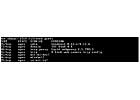
The port-scanning program found all of the network cameras on my system (ports 81, 85, 86, and 89). This program attempts to identify the type of device or server that is connected to the open ports. In the case of port 81, the connected device is not a D-Link Web camera, but it is indeed a camera. This program can also identify the MAC addresses and OS (operating system software) of computers or servers connected to open ports.
To find out what ports are open on your own network, you can call up www.grc.comfrom a
computer on the network, and run the “Shields Up!” port scan test. Within a couple of minutes this Web site will test your networks “common” ports, and can be configured to test all 65,535 ports if you have the time. Based on your firewall settings and overall network security, you may find that there are many open doors on your network.
So open ports are bad, right? Well, generally the answer is yes, however, TCP/IP ports must be opened to allow remote connection and manipulation of DVRs, network cameras, and other security devices from across the Internet. Close all the ports and we shut off remote accessibility. And being able to connect remotely is a huge benefit of networked physical security systems.
Carefully consider which TCP/IP port(s) you program into a DVR or other network security device. Changing the device’s port setting from the default, which is usually port 80, is a no-brainer. If possible, it is best to pick a high port number, such as 21,314, which is outside of the 0-1,024 common ports area. This provides a measure of deterrence against “drive-by” hackers, who are wandering the Internet looking for systems with open ports to mess with. Port scanning takes time; so many hackers will only scan the common ports, or perhaps the first 1,500 ports, looking for openings. The scan graphic in this article shows that this program did not find the other open ports in my home network, because I did not tell the software to scan every port. It can take the better part of an hour to scan all 65,535 potential ports associated with a single public IP address. Because ports must be opened, how users are authenticated when accessing a device becomes critical.
Looking for a reprint of this article?
From high-res PDFs to custom plaques, order your copy today!