Video Monitoring Best Practices
Standards are not common in video monitoring, so central stations often develop their own internal guidelines. SDM investigates those video monitoring best practices.
Video monitoring is becoming increasingly popular — but standards have not kept pace. Central stations have had to rely on themselves to determine the best way to handle dispatches, voice-down capability, operator training and other key elements of video monitoring.
With this in mind, SDM is checking in with some of those companies that have experience in this area to get their views on video monitoring best practices.
Video Monitoring Options
Video monitoring requirements vary somewhat depending on the type of monitoring involved. Scott Warshaw, president of Atlanta-based central station National Video Monitoring, sees these options falling into three basic categories.
One category is event-triggered monitoring — and perhaps the most popular form of this is video verification, where central station operators check in on the customer premises in response to an alarm generated either through the camera’s internal motion detector, through video analytics or in response to an outside trigger such as a separate motion detector. With video verification, the central station operator’s purpose is to first determine whether the alarm was caused by a human intruder or whether it is simply a nuisance alarm and to then respond accordingly. Other forms of event-triggered monitoring might include remote escort capability, where a central station operator remotely controls a camera in order to make sure that an employee gets to his or her car without a problem in response to a request from the employee.
A second category of video monitoring includes video touring, where operators check in on customer cameras at specified times, as well as variations on that type of offering, such as services in which operators check in on various locations of a retail business to make sure products are properly displayed, no safety rules are being violated, etc.
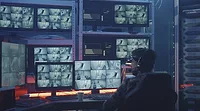
In a third option, known as live monitoring, central station operators continuously watch video feeds from a customer location much as a premises-based guard would do.
Various types of video monitoring may be sold as part of a package that also includes audio capability — either two-way or voice-down — giving operators the ability to speak to people who appear on their video monitors.
Looking for quick answers on security topics? Try Ask SDM, our new smart AI search tool. Ask SDM →
Policies and Procedures
Whichever type of monitoring a central station does, operators need detailed information about a customer and how to handle the wide range of scenarios that could occur.
“You can’t rely on tribal knowledge,” comments Morgan Hertel, vice president of operations for Syracuse, N.Y.-based wholesale central station Rapid Response Monitoring Services.
Some central stations SDM spoke to have created their own software to maintain and monitor customer data, while others bought third-party software designed for that purpose. Some central stations have integrated their customer management software with their central station automation software. For others those are two separate systems.
Either an integrated or separate system approach can work, according to Chris Brown, executive vice president of Reston, Va.-based CheckVideo, a provider of video monitoring hardware and software used by central stations. Brown notes that some central station software supports decision trees that pose pertinent questions to operators and present different instructions to the operator depending on how the operator answers. Scripts telling an operator what to say may be part of those instructions. If audio capability is part of a customer’s service, operators should be given specific wording to use if, for example, someone is seen walking around a car dealer’s lot after hours.
Instructions for central station operators also must be quite detailed for retail accounts that hire the central station to check in to make sure individual locations are following company policies. Brown advises central stations to restrict customers to questions to those that can be answered “yes” or “no.” Sample questions might be, “Are employees wearing uniforms?” or, “Is the seating area clean?”
Properly detailed documentation is especially important if central station operators are not assigned to specific customers — a scenario that occurs quite commonly according to sources interviewed for this story. When a customer purchases live monitoring, however, part of the value is that for each shift a specific operator is assigned to the account, Warshaw explains. (Individual operators handle several accounts simultaneously, Warshaw notes. If an operator has to devote his or her attention to a specific account — for example, if he or she has to call the police – a “floater” operator fills in.)
When National Video Monitoring sets up a new account, the account completes a two-page questionnaire that includes detailed information about hours of operation, what time the cleaning people arrive, etc. Such information is kept in what Warshaw calls “protocol books.” But because operators are dedicated to specific accounts, he says operators become “intimately familiar” with a property and don’t need to rely heavily on the books.
Brad Gordon, CEO of Lowell, Mass.-based central station Viewpoint CRM, has a different take on how to set up a new account. “We use project management software to ensure the smooth launch of new customers,” explains Gordon. “It takes information picked up during the course of bringing on the account and ties in information from sales, operations and customer service. We can take that information and present it to the client.”
After procedures for handling various scenarios are established, those procedures appear on a separate screen at each operator’s station, Gordon notes.
When to Dispatch
Perhaps the most critical action a central station operator must take for a video monitoring account is to dispatch police when an intruder appears on the monitor. The most appropriate language to use in this situation is to tell police there is a “crime in progress,” Brown advises.
“Stick to the facts,” Hertel adds. “Don’t say it looks like someone has a gun if you can’t tell.”
Central stations SDM spoke with said they record video when incidents involve police dispatch but also note that police may not accept those recordings as evidence suitable for use in prosecuting a criminal.
Brown says central stations can increase the likelihood that recordings will be acceptable as evidence by recording the exact screen views that the central station operator sees.
The Human Factor
Central stations we interviewed say operators who handle video monitoring receive between 10 and 60 days of training specifically focused on video-monitoring procedures. Several companies have dedicated trainers.
Operators handling video can’t handle as many accounts as they can with traditional security systems, Warshaw shares. He says operators can handle about 20 to 25 accounts that have signed on for event monitoring and as many as 35 to 45 for customers that sign on for touring services.
To help ensure that fatigue doesn’t impact performance, National Video Monitoring restricts operators to six-hour shifts and allows operators to work no more than one shift in a 24-hour period, Warshaw says.
Brown raises another important issue that comes into play when a central station offers video monitoring.
“Anybody setting up a video monitoring center has to be thoughtful and prepared for the fact that the staff is no longer handling people pushing the holdup button — they’re seeing a gun drawn or a gun pointed in someone’s face,” observes Brown. “It’s an ugly side of society that they’re paid to look at.”
Any time a major event occurs, the operator involved should take a break of at least one hour, Brown advises. At that point, the central station manager should assess the situation and consider letting the operator go for the rest of that day, he says.
It’s also important to have an “open pipeline” in the organization, Brown says. “Operators need to feel they can say without judgment that they want some counseling.”
Addressing Reliability
Central stations offering video monitoring should make sure they have a high level of redundancy, sources interviewed for this story advise.
Brad Gordon of Viewpoint CRM notes that his company has three different connections to the Internet from two different telecom service providers, as well as a backup generator and off-site storage.
In addition Viewpoint CRM declines to monitor cameras or video analytics that have proven to be unreliable.
Does Video Affect a Company’s Valuation?
What impact does video monitoring have on a security dealer’s valuation, which often is calculated as a multiple of the company’s monthly recurring revenue?
There haven’t been many transactions involving companies that focus strictly on monitoring, notes Mark Gronowski, a partner with St. Louis-based security industry advisor and consultancy Barnes Associates.
He adds, however, that “our opinion is that’s where the future is going.”
If a company gets a substantial portion of its RMR from video monitoring, that shouldn’t hurt valuation and potentially could help it, Gronowski says.
“The video space in general is of increasing interest to capital markets and investors,” observes Bill Polk, managing director of the security and defense group at Washington-based Capital One Bank. He notes, however, that “it takes scale, strategy and a good deal of evidence of capability” before video monitoring will impact a company’s valuation.
A dealer will need a certain number of video monitoring accounts — in the hundreds at least — “before you can demonstrate an expertise or a real business,” Polk advises.
That doesn’t mean smaller dealers should ignore the video monitoring business, however. Both Gronowski and Polk note that as video monitoring becomes more popular, dealers may find they have to offer it in order to remain competitive.
The important thing will be for companies that offer video monitoring to price the offering appropriately, Gronowski advises. The price needs to be low enough to attract customers but high enough for the dealer to make a reasonable profit margin, he comments.
Another thing to consider is that as video monitoring becomes an increasingly essential offering, some dealers may look to acquire that expertise through the purchase of another company that specializes in that area, Gronowski predicts.
MORE ONLINE
Check SDM’s online archives for more coverage of video monitoring.
“Options for pricing video monitoring services”
www.sdmmag.com/videopricingoptions
“Success stories in remote video monitoring”
www.sdmmag.com/remotevideosuccess
“Trends in remote video monitoring”
www.sdmmag.com/remotevideotrends
“The central station perspective on monitored video”
www.sdmmag.com/talkingmonitoredvideo
Looking for a reprint of this article?
From high-res PDFs to custom plaques, order your copy today!