Codelocks Launches Codelocks Connect App to Put Remote Access Management in the Palm of Your Hand
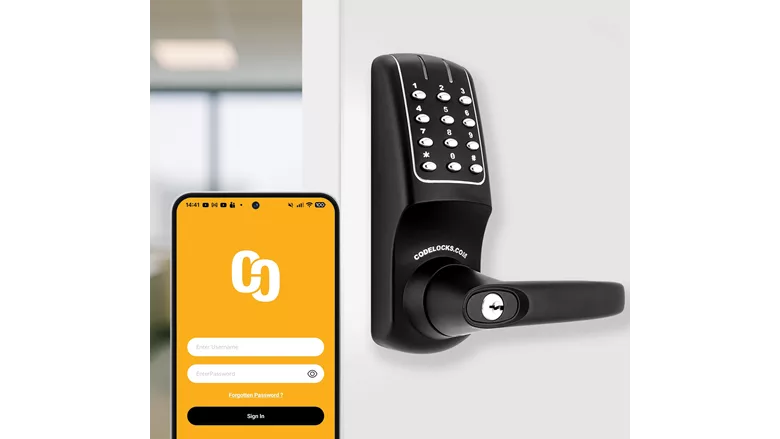
Codelocks, a global access control specialist, launched its Codelocks Connect App, designed to give users an easier way to remotely manage their connected locks from a mobile device. Now, business owners, building managers and any personnel responsible for managing access to a site can create access codes and share them via email or SMS directly from the app.
The Codelocks Connect App features Codelocks NetCode technology, allowing users to generate time-sensitive codes, to create NetCodes that have a specified start date, time and duration after which they will automatically expire. With over an excess of 10,000 users of NetCode locks, this form of scheduled temporary access is designed for a range of applications, including sports facilities, event hire spaces, parcel delivery lockers and more.
Across the US and Canada, we're seeing NetCode being put to work in new ways,” said Matt Welty, vice president, Codelocks Americas. “From wellness retreats to music studios, through to short-term rentals and tennis courts, the range of businesses building it into their operations is remarkable. The use cases go beyond simply making access control easier, too. Customers are using time-sensitive codes to create new revenue streams, giving customers on-demand, self-service access to spaces and storage that previously couldn’t be easily shared or needed staff to manage.”
New locks can be added and registered from a mobile device. Any locks that are already registered in the Connect Portal are imported into the app without duplication, and all changes, whether made in the app or in the portal, are automatically synchronized across both platforms. Multiple managers can also be assigned to a single lock or group of locks, which enables teams to share access responsibilities without relying on a single administrator.
The Codelocks Connect App works with a range of NetCode-equipped lock solutions, including several KitLock lines, such as the KitLockClassic and KitLockMax, and selected models from the CL5000 electronic lock range. It is compatible with both iOS and Android mobile devices.
Looking for quick answers on security topics? Try Ask SDM, our new smart AI search tool. Ask SDM →
Looking for a reprint of this article?
From high-res PDFs to custom plaques, order your copy today!




