VIDEO SOLUTIONS
Training Holds the Key to Securing Customers' VMS Success
Following best training practices helps your clients get the most out of the functionality of their video installations.
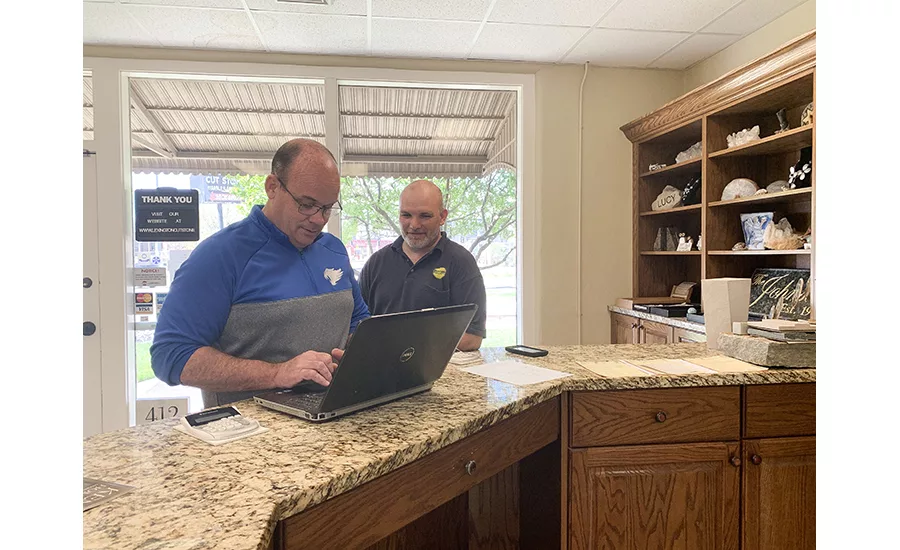
IMAGE COURTESY OF BATES SECURITY
To help clients use the full capabilities of their VMS, integrators must follow best practices for training once a solution has been installed.
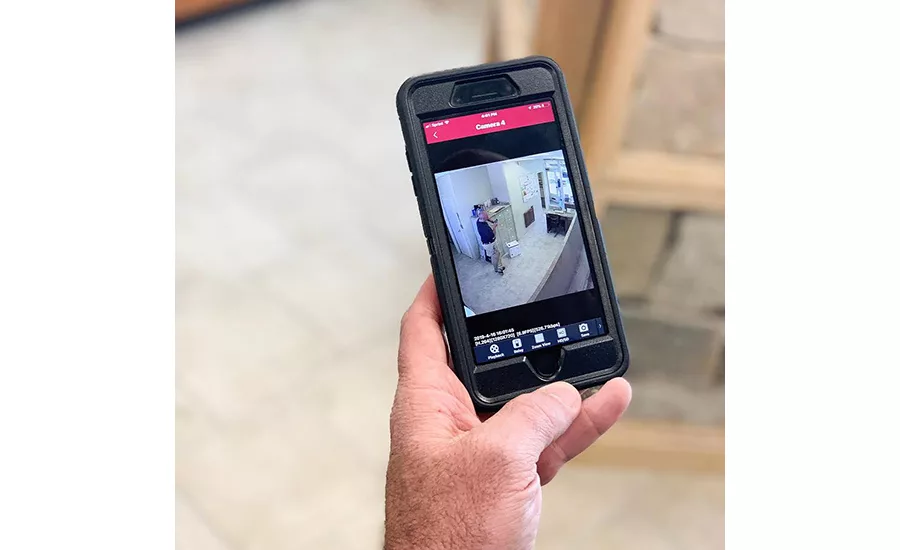
IMAGE COURTESY OF BATES SECURITY
Hands-on training with the system is often the best way to maximize end users’ retention of the information and skills they learn during a training session.
Imagine a burglary occurred at a business one afternoon and the suspects escaped capture. One of the first things law enforcement would do would be to gather surveillance footage from the store and from adjacent businesses. Would the employees — or owners — of those businesses have the skills to export video, burn it to a disc or thumb drive, or perform any other important tasks that would assist the investigation?
Many times this hypothetical situation is all too real, demonstrating the fact that for all video systems’ promise to improve our everyday lives, even the most advanced solution is rendered virtually useless if users can’t perform even the most basic functions. Therefore, it is imperative to ensure end users are properly trained to use their video surveillance systems to the fullest extent once they’ve been deployed.
The best avenue for that training is the integrators who install those systems. To help make the most of that training, security integrators share some of their best practices in VMS training.
The Basics
The most basic training is designed to ensure customers understand the functionality of the VMS software, such as simply being able to retrieve video, and then moving on to more advanced training.
“From there, we then ask them if there are some operators of the system that need to be trained as well, and what functionality they want to give them? What administration rights and access privileges?” says John Rathwell, co-owner, Detection Systems and Engineering Co., Royal Oak, Mich.
Based on its experience, Midstate Security, located in Wyoming, Mich., has been able to scale its training for smaller end users with a training portal that allows individual customers to log in and access training literature provided by both Midstate and individual vendors. Where necessary and appropriate, the company schedules specific training sessions with individual customers either in person or via WebEx.
“At the end of the day, each client’s training is treated individually to meet custom client needs but also incorporating template and best practice models to effectively and efficiently communicate best operating practices for use of the system,” says Nathan Mahoney, project manager for Midstate. “We are constantly innovating our training models to best serve the end user.”
Looking for quick answers on security topics? Try Ask SDM, our new smart AI search tool. Ask SDM →
Apex Integrated Security Solutions, Boise, Idaho, has adopted a “train the trainer” approach to its end-user training. The reason for this focus, says Chris Belarski, the company’s president, is that the turnover is relatively high among those positions tasked with viewing and reviewing live or recorded video.
“Management and supervisory positions within companies tend to have a much lower turnover rate, which contributes to this being a successful method. We take this approach regardless of the size or complexity of the system and our client feedback has been that it reduces their overall investment in ongoing VMS software training,” he says.
These “train the trainer” methods can differ greatly depending on the size and scope of a project and the VMS deployed.
“With today’s VMS, it can strangely require more training and more detailed documentation for simpler systems with basic features,” Belarski says. “Examples of this could be a large campus that has deployed hundreds of cameras with advanced analytics.”
For Ojo Technology, Fremont, Calif., hands-on training is the best way to make sure end users retain the knowledge and skills they’re learning.
“I find that just seeing it on the screen flying through looks great but the retention is just not there,” says Ed Maddox, the company’s vice president of technical services. “We’ll have them set up on PCs and go through a series of the common sequences so they actually get to do it.”
Following the training session, Maddox asks individuals to demonstrate some of the skills they have learned.
“I’ll say, export this camera on this day in this type of format, and then I’ll come back to them and do a check. It’s almost like a regular school environment, but I just really find the hands-on approach is critical,” he says.
Supporting All Those VMS
There is something to be said about offering a variety of solutions, but there is also a point at which the number of VMS an integrator supports can become unwieldy. Through working with customers over the years, Detection Systems and Engineering has come to support eight different VMS, which is more than enough, says John Rathwell, co-owner of the company.
“That’s too many. We’ve picked up different VMS lines and even access control lines based on customer needs but we need to figure that out a little more because you can’t keep all those manufacturers happy,” he says.
This crowded field isn’t limited to just VMS. Over the next year, the company has set a goal of trimming the number of technologies it supports in a number of areas with an eye toward streamlining operations and providing better service.
“One of our goals this year is to thin out our access control and video lines, maybe get it down to four or five versus eight enterprise-level products on both sides,” Rathwell says.
Ongoing Support & Training
In many cases, end-of-installation training is only the beginning of the process, as many integrators offer ongoing support and training as part of their maintenance agreements.
“We won’t sell a video system unless the customer commits to what we call a quality assurance plan,” says Jeremy Bates, president, Bates Security, Lexington, Ky. “And what that means is they’re making a monthly investment, and for that we will come out and do repairs and maintenance work at no charge. That also includes training as needed, whether it’s over the phone or in person. Some of our customers have said they don’t know how to do a recording or burn something to a disk or a flash drive, and we have just simply done it for them and there have been no charge or no questions asked.”
For Detection Systems and Engineering, that support can take the form of performing tasks that customers find themselves at a loss to perform themselves.
“There are a lot of instances where we will actually go back out and help them retrieve the video,” Rathwell explains. “Even then, they need to understand if they do export the video, they have to keep it in its native format so it can be used for law enforcement purposes to show that the video hasn’t been compromised.”
As part of its maintenance plan, Ojo Technology provides what is essentially unlimited training.
“We’re accessible to end users for questions, especially with staff turnover,” Maddox says. “We’re available whenever it’s needed to make sure customers are able to use their tool to the fullest.”
While training is essential, it can be overwhelming for end users to take it all in during the limited time they have to learn about a new system, which is why many integrators follow up with their customers after users have had a chance to interact with the system and identify potential questions.
“A lot of times it’s a two-stage training because a lot of the people who are interfacing with the software initially don’t know what they don’t know,” Rathwell says. “So we’ll schedule a second training to come back once they’ve had some experience with the software to answer questions they may have on different functionalities of the software.”
To overcome the “data dump” syndrome that comes with a new system — particularly in new construction — Fullerton, Calif.-based NAVCO takes advantage of any opportunities the company might have to follow up with the customer.
“Most of our customers will have a maintenance contract in place where we’re planning on being out at the site for something at least once a year, if not more, so we always take advantage of that,” says Jim Kauker, NAVCO’s president. “If something’s broken, we’re able to not only fix it, but have an opportunity to give them a little on-the-job training as well. We also participate in their regional manager meetings and usually get a half-hour to 45 minutes just to give them some refreshers, and ask how the system is working. That way they can use it for a little bit more than what they might be using for it already.”
Practice Makes Perfect
With a basic four- to eight-camera system at a small store, 100 percent of the user interface is likely driven by incident review, meaning the system may only be touched a few times a year or less.
“For these types of scenarios where the system may not be used but a few times a year, we generally record the training for review by the store manager or owner when the unfortunate need to review recorded video arises,” Belarski says.
Much of the ongoing training for customers is gained from just using the system regularly, which can be improved when use of the VMS is expanded beyond simply security purposes.
“The training is all for naught if the senior management of the entity isn’t pushing down to their local managers to use the video for something other than just ‘catch the bad guy,’” Kauker says. “It really is important and we try to get our customers to try the extra features so their managers are using it on a consistent basis.”
In fact, this beyond-security philosophy guides much of the business NAVCO does.
“If we have a prospect for a video system, and they’re just looking for a robbery system, we usually pass on it. Let them get a Nest system and do it by themselves. They don’t really need a real VMS that’s going to give them the additional tools they need to be able to do some some good forensics with what’s happened in the past instead of just your basic Nest-style, do-it-yourself project,” Kauker says.
More Online
For more information about video management software, visit SDM’s website where you’ll find the following articles:
“Feeding the Growing Appetite for Video Surveillance Data”
www.SDMmag.com/growing-appetite-for-video-surveillance-data
“Securing VMS Against Cyber Attacks”
Looking for a reprint of this article?
From high-res PDFs to custom plaques, order your copy today!